There's a particular kind of development work that doesn't make for exciting screenshots. No one's going to ooh and aah at rate limiting code or database migrations. But it's the work that separates a demo from a product — and ChronicleVTT just crossed that line.
Over the past week, we've implemented the systems that let us actually invite people to use this thing without staying awake all night worrying about what could go wrong.
The Gate: Email Verification
First things first: we now require email verification before anyone can access the app. No more anonymous accounts floating around. When you sign up, you get an email, you click a link, and only then do you get in.
This might seem basic, but it's foundational for everything else. We need to know who our users are — not for surveillance, but for accountability. If someone uploads something inappropriate, we need a way to reach them. If someone's account gets compromised, we need a way to help them recover it.
The verification screen includes a resend button with a 60-second cooldown (so you can't hammer our email provider), and a "use different email" link if you mistyped. Small details, but they matter when you're stuck on a verification screen.
Content Moderation: Player Safety First
Here's the uncomfortable truth about any platform that lets users upload content: some of that content will be inappropriate. We'd rather build the systems to handle this before we have users than scramble to respond to an incident.
Players can now report maps directly from the session. One click, select a reason, optionally add notes, and the content is immediately quarantined while an admin reviews it. No more "we'll get to it eventually" — the content is pulled instantly.
The admin panel shows pending reports, lets moderators view the content, and provides approve/remove actions with optional user penalties. Everything gets logged. We can see who reported what, when, and how it was resolved.
The Vault: Your Files, Everywhere
This is the big one. Previously, uploaded files were tied to specific campaigns — delete the campaign, lose the files. That's fine for a prototype, but it's not how people actually want to work.
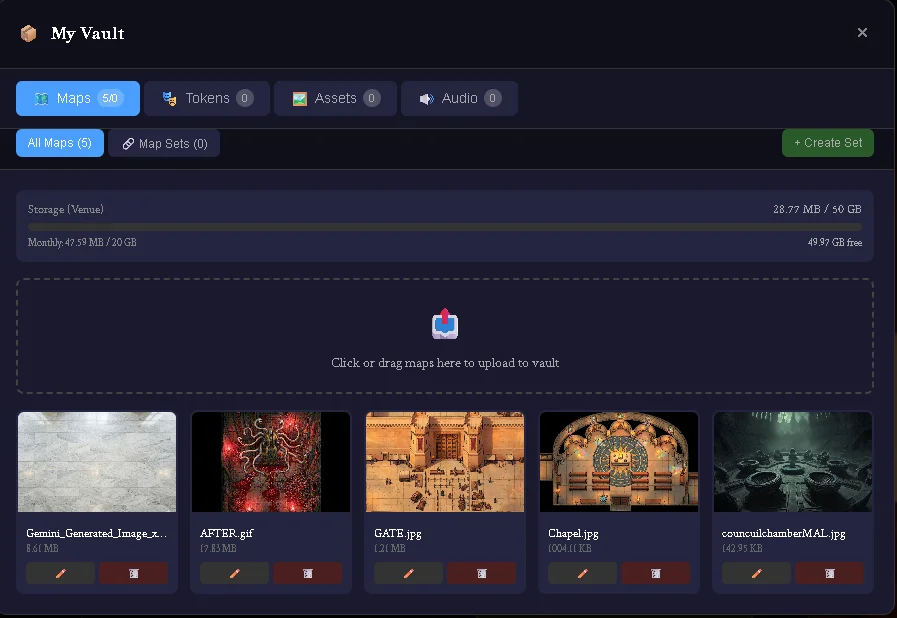
Enter the Vault. It's your personal asset library that follows you across every campaign. Upload a map once, use it in any campaign. Build up a token collection over years of play. Your files, organized your way, always accessible.
The storage bar at the top shows exactly where you stand — how much you've used, how much you have left, and what tier you're on. No surprises, no hidden limits.
Cloudflare R2: Sustainable Storage
Behind the scenes, we've migrated from Supabase Storage to Cloudflare R2. This is purely a cost and performance decision — R2 has no egress fees, which means we're not paying every time someone loads a map.
For users, the only visible change is that file URLs now expire after an hour. The app handles this automatically — if you're in a long session, it refreshes the URLs in the background before they expire. You shouldn't notice anything different, but the infrastructure is dramatically more sustainable.
Security Hardening
Before letting anyone near this, we did a security audit. Here's what we found and fixed:
| Issue | Impact | Status |
|---|---|---|
| Users could access other users' files | Critical | ✅ Fixed |
| No rate limiting on storage endpoints | High | ✅ Fixed |
| Race condition in quota enforcement | High | ✅ Fixed |
| Concurrent uploads could exceed limits | Medium | ✅ Fixed |
All storage endpoints now have rate limiting (10-20 requests per minute per user), quota checks are atomic (no race conditions), and users can only access their own files. The boring stuff that prevents disasters.
Player Testing Fixes
We've also been running real sessions with real players, which has surfaced all the little friction points you don't notice when you're testing alone:
Wall Tool Activation: Clicking the wall tools button now actually activates drawing mode. Previously you had to click twice — once to open the panel, once to start drawing. Now it just works.
Grid Sync: GMs can now push grid settings to all players with one click. No more "make sure your grid is set to 70px" instructions in every session.
Combat Auto-Select: When the turn changes, the current token is automatically selected. Sounds obvious, but it wasn't happening before, and combat felt sluggish because of it.
Allies in Initiative: Non-combatant allies (like the party's pack mule or a friendly NPC guide) now appear in initiative order. They were getting skipped before.
What's Next
With the infrastructure in place, we're ready for the trusted alpha. The plan is to start with 10-20 users — people we know, people who'll give honest feedback and forgive the rough edges.
Features on deck: dynamic fog of war (player vision that actually respects walls), a lighting system, and ground effect markers for spells and hazards. The visibility stack that makes dungeons feel dangerous.
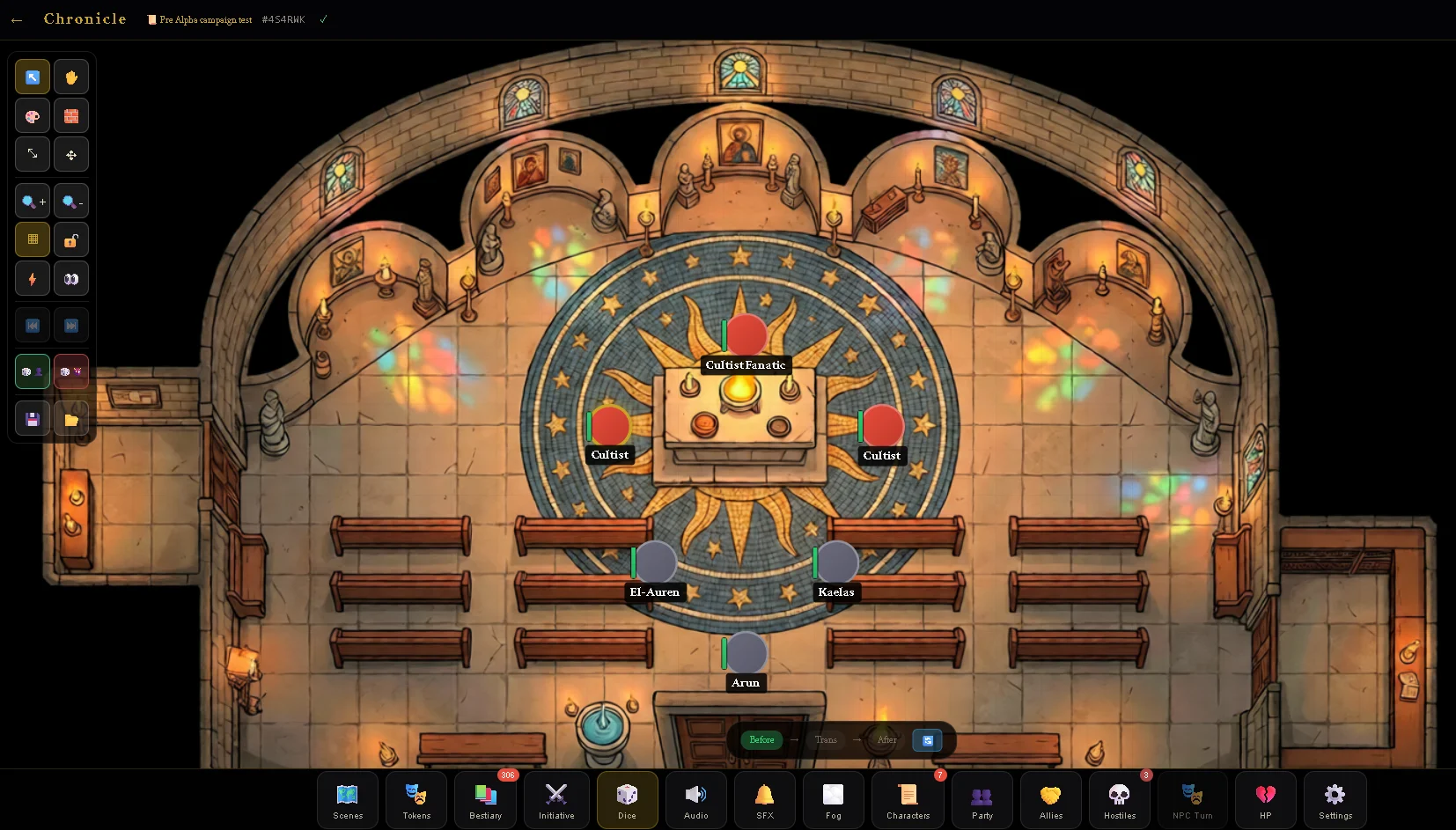
But honestly? The most important thing we built this week isn't any single feature. It's the confidence that when something goes wrong — and something always goes wrong — we have the systems to handle it.
That's what alpha ready actually means.
Follow the Journey
Dev updates, behind-the-scenes insights, and first access when alpha opens.